Change Password
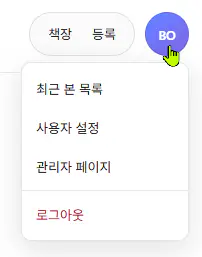
Click the round user icon in the upper-right corner to open the user menu.
In the user menu, click User Settings.
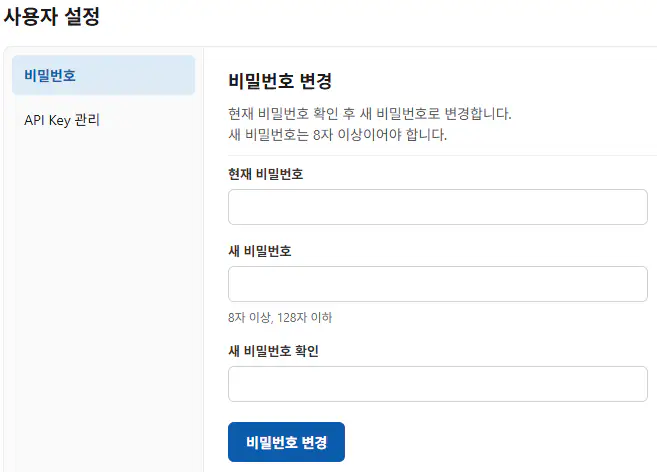
On the user settings screen below, you can change your password from the Password menu on the left.
info
- The new password must differ from the current password.
- The password must be at least 8 characters and at most 128 characters.